Tuesday, September 21, 2010
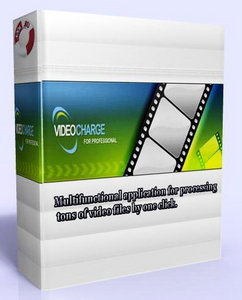
VideoCharge Studio 2.9.0.632
Videocharge Studio is a video editing software which is intended for those users who regularly work with video, create Internet video galleries, convert video files. Videocharge Studio includes all features for video editing: video converting, splitting video into parts, joining several video files into a single one, adding watermark on video or image (add logo to video or photo), embedding image into video file, creating video from several images, editing audio. Videocharge Studio can edit video without reencoding as well. Videocharge Studio supports all existing video formats and can edit DVD or VOB files.It allows you to work via command line interpreter, extracts frames from video, creates thumbnail for video (for torrent video as well), sets metadata. The application supports a batch processing for editing a lot of files, can process all files in a folder, blur some area on the frame of video and remove watermarks from video.
With the help of VideoCharge Studio you can do the following:
• Convert a video, change video or audio stream parameters.
• Convert an image, change image file format, parameters.
• Convert a video avoiding changing file format. Using it, file of the same format will be created keeping video and audio settings.
• Edit video without reencoding. This allows you to save 100% of video quality and edit video file very quickly.
• Changing of file format without reencoding. For example, a quickly way to create FLV video from MKV video file.
• Edit video files of all main formats, including work with DVD and VOB files.
• Work with directory of files. Batch processing.
• Create several video files of different formats or with different parameters on the base of one original file for one generation.
• Extract frames from the video files and save them as image. You can create several images of different formats on the base of one frame.
• Convert a video file and create thumbnail for it all at once.
• Create thumbnail for a torrent video file: a image which contains several frames from the video file organized as a table with added file's metadata: its size, duration, name, etc.
• Set filename and directory for created files using templates. It allows user to use formatting while creating file names.
• Create video of high quality using double pass coding.
• Create one video clip and several thumbnails for it from well distributed frames. For example, you can create a video clip of 1 minute duration and six thumbnails from the following frames: 1, 10s,…, 60s.
• Set metadata for video files. You can set metadata without reencoding too.
http://hotfile.com/dl/70756930/aab427e/VideoChargeStudio2.rar.html
Home Plan Pro 5.2.23.18 Portable
Home Plan Pro provides a full array of graphic tool buttons to let you easily pick a tool or action. Once you choose a tool, Home Plan Pro tells you how to use it. You may use the mouse or keyboard, or both, to create your plan. Home Plan Pro gives you many choices for printing your plans. You may select a specific scale, or elect to have your plan printed at the largest size that will fit on the paper you select.


Home Plan Pro includes the home design tools you need:
* Easily draw arcs, rectangles, circles, lines, and so forth.* Use the mouse, keyboard, or a combination of both.
* Add scaled dimensions with two clicks.
* Insert doors and windows with equal ease.
* Zoom in or out with a click to work on detailed parts of the plan or to see the whole of it.
* Create Layers that you can make invisible or visible at a click
* Draw a plot plan using metes & bounds. Calculate the area and acreage.
http://hotfile.com/dl/70766463/6cb5d6f/Home_Plan_Pro_v5.2.23.18port.rar.html
Monday, September 20, 2010
Download Online Videos in Different Formats
With so many of online video sharing sites, you have variety of songs and movies to watch online and downloading these videos gives you better experience. Bender Converter is a free online service which allows you to convert and download videos from various online video sharing sites. You can download and convert videos from such services as YouTube, Daily Motion, Mega Video, Vimeo, TwitVid.com, Veoh, Google Video and Blip.tv, Break.com, Facebook.com, Livevideo (liveshows not supported) etc.
All you need to do is to specify the full video URL of the site you are downloading from. Bender Converter supports variety of formats as seen in the image above. It supports popular formats like mp3, .wav, .avi, .mpeg and also Apple iPad, iPod, iPhone formats.
The service is fast and doesn't require any registration.
Online Video Converter and Downloader- Bender
All you need to do is to specify the full video URL of the site you are downloading from. Bender Converter supports variety of formats as seen in the image above. It supports popular formats like mp3, .wav, .avi, .mpeg and also Apple iPad, iPod, iPhone formats.
The service is fast and doesn't require any registration.
Online Video Converter and Downloader- Bender
Saturday, September 18, 2010
Disable Touchpad on Laptop while Typing
Sometimes laptop touchpad might be annoying when you are typing with the keyboard, especially when you are typing fast. Most of the times, your hand might accidently touch the pad resulting in disturbance while typing. Touchpad Blocker is a simple freeware tool which automatically
disables mouse events for a few moments if some key has been pressed. You can enable or disable the touchpad with the hotkeys.
download touch pad http://karpolan.com/software/touchpad-blocker/touchpad-blocker.exe
disables mouse events for a few moments if some key has been pressed. You can enable or disable the touchpad with the hotkeys.
download touch pad http://karpolan.com/software/touchpad-blocker/touchpad-blocker.exe
Use Mobile Phone camera As Webcam
This tutorial will show you How to use your mobile as a Webcam.
I am successfully installed working fine .....install .exe file in pc and .sis or jar fil in you phone,,,while connecting change the COM port 1,2,5 or 6 untill connect
Many of us don’t have Webcams and might want to use your mobile as a Webcam to save on some cash and also to put your mobile camera to better use.
You will need to install your Bluetooth stack / drivers – Microsoft, Bluesoliel, Widcomm etc if you plan to use Bluetooth to connect your phone and PC. You will also need to install Nokia PC Suite in case you are using a Nokia phone.
There are two applications to use your mobile as a Webcam:
1. Mobiola Webcam
Download Mobiola Webcam
Mobiola Webcam is the most popular Webcam software for mobiles, it is compatible with many phones – Symbian S60, S60 V3, UIQ, Windows Mobile, Blackberry etc. In case it isn’t compatible with your phone, but your phone supports J2ME, you can use the Mobiola Webcam Lite version. It runs on almost all J2ME phones. In case, you have some prehistoric phone with no J2ME support, then it’s time to dump it and get a new phone.
Just download Mobiola Webcam / Webcam Lite from the above links after selecting your platform. Install the Mobiola Web cam setup on your PC and transfer the mobile sis / jar file to your mobile and install it. Be sure to give it all the access permissions it requires during installation.
Just start the Mobiola application on your mobile and PC. From your mobile, select Options > Connect and select the connection method – Bluetooth, USB or Wi-Fi. We would recommend connecting via data cable as it is faster. After you are connected, you can use the mobile camera as your Webcam. Just start your favourite application and in the Video / Webcam options, select the Mobiola Webcam / Your Phone. You can adjust the video quality, contrast and brightness from Options > Settings.
WWIGO is also a nice little application that allows you to use your mobile camera as a Webcam. It supports connections via Bluetooth only though. Just download the application from the above link and install it. After installation, navigate to your Program Files directory and get the WWIGO mobile application from there. Transfer it to your mobile and install it.
Now start both the PC and mobile WWIGO applications. Now select an GPRS access point in your mobile, and select Options > Connect. Select your PC as the Bluetooth device and let the PC and mobile WWIGO applications connect.
After the connection is done, you can use your mobile camera to record videos as a Webcam. To use it as a Webcam, open the Webcam / video settings of your application and select WWIGO as the Webcam. You can adjust the video resolution and zoom levels from Options > Settings
That’s it, You are done. Happy Chatting.
Note: Yea, I know there are loads of similar tutorials everywhere. But as I was running out of ideas to write on, I thought this would be fine
I am successfully installed working fine .....install .exe file in pc and .sis or jar fil in you phone,,,while connecting change the COM port 1,2,5 or 6 untill connect
Many of us don’t have Webcams and might want to use your mobile as a Webcam to save on some cash and also to put your mobile camera to better use.
You will need to install your Bluetooth stack / drivers – Microsoft, Bluesoliel, Widcomm etc if you plan to use Bluetooth to connect your phone and PC. You will also need to install Nokia PC Suite in case you are using a Nokia phone.
There are two applications to use your mobile as a Webcam:
1. Mobiola Webcam
Download Mobiola Webcam
Mobiola Webcam is the most popular Webcam software for mobiles, it is compatible with many phones – Symbian S60, S60 V3, UIQ, Windows Mobile, Blackberry etc. In case it isn’t compatible with your phone, but your phone supports J2ME, you can use the Mobiola Webcam Lite version. It runs on almost all J2ME phones. In case, you have some prehistoric phone with no J2ME support, then it’s time to dump it and get a new phone.
Just download Mobiola Webcam / Webcam Lite from the above links after selecting your platform. Install the Mobiola Web cam setup on your PC and transfer the mobile sis / jar file to your mobile and install it. Be sure to give it all the access permissions it requires during installation.
Just start the Mobiola application on your mobile and PC. From your mobile, select Options > Connect and select the connection method – Bluetooth, USB or Wi-Fi. We would recommend connecting via data cable as it is faster. After you are connected, you can use the mobile camera as your Webcam. Just start your favourite application and in the Video / Webcam options, select the Mobiola Webcam / Your Phone. You can adjust the video quality, contrast and brightness from Options > Settings.
2. WWIGO (Webcam Wherever I Go)
Download Link – WWIGOWWIGO is also a nice little application that allows you to use your mobile camera as a Webcam. It supports connections via Bluetooth only though. Just download the application from the above link and install it. After installation, navigate to your Program Files directory and get the WWIGO mobile application from there. Transfer it to your mobile and install it.
Now start both the PC and mobile WWIGO applications. Now select an GPRS access point in your mobile, and select Options > Connect. Select your PC as the Bluetooth device and let the PC and mobile WWIGO applications connect.
After the connection is done, you can use your mobile camera to record videos as a Webcam. To use it as a Webcam, open the Webcam / video settings of your application and select WWIGO as the Webcam. You can adjust the video resolution and zoom levels from Options > Settings
That’s it, You are done. Happy Chatting.
Note: Yea, I know there are loads of similar tutorials everywhere. But as I was running out of ideas to write on, I thought this would be fine
Friday, September 17, 2010
AMS Software Photo Collage Creator 3.71
Photo Collage Creator is advanced digital scrapbooking and photo collage software that turns ordinary digital pictures and text into personalized works of art. The program combines three amazing functions: dozens of pre-designed fabulous collage templates, more than 50 photo frames, special mask effects, and flexible publishing formats. Photo Collage Creator includes everything one needs to turn regular digital photos and text into great-looking scrapbook pages suitable for printing, adding to a scrapbook, sharing with friends or hanging on the wall.
Photo Collage Creator also introduces an entirely fun idea to assemble your precious photos into an artistic compilation, completely re-expressing your ideas. Using advanced features such as halo effect, perspective and atmosphere correction, you achieve dazzling results. With the innovative and fast digital collage software, the only limit to what you are able to create is your imagination!
Dwnload +Serial
Photo Collage Creator also introduces an entirely fun idea to assemble your precious photos into an artistic compilation, completely re-expressing your ideas. Using advanced features such as halo effect, perspective and atmosphere correction, you achieve dazzling results. With the innovative and fast digital collage software, the only limit to what you are able to create is your imagination!
Dwnload +Serial
Portable Power Audio Editor v7.4.3.215
Power Audio Editor is full-featured digital audio editing software that offers a variety of audio recording, mixing, editing, analyzing and effects processing possibilities. It provides an intuitive, easy-to-use interface and is designed for the everyday user. It has dozens of amazing audio effects and tools for converting audio files into different formats, including MP3, WMA, WAV, Ogg Vorbis and many others. And that's just the beginning of what you can do with Power Audio Editor. If you're using audio for anything - websites, PowerPoint presentations, Flash animations, Power Audio Editor will take your creations to the next level.
What you can do with Power Audio Editor
Use Power Audio Editor to record your own music, voice or other sounds, import and export lots of audio files formats, including Windows PCM (WAV), MP3, Ogg Vorbis, WMA 9 and AIFF, play it, mix it, edit audio files visually using Cut, Copy, Paste and applying more than 20 effects and filters, including: Cut, Paste, Move, Delete, Fadein/Out , Crossfade, Vibrato, Delay, Normalize, Fade, Flanger, Amplify, Invert, Insert Silence, and more.
Available audio formats
* Uncompressed WAV PCM;
* Compressed WAV (GSM, ADPCM, DSP, U-Law, A-Law and others);
* MPEG2 Layer 3 (MP3), MPEG2 Layer 2 (MP2);
* WMA (Windows Media Audio);
* Ogg Vorbis;
* AIFF, AU;
* MPC (Music Pack);
* VOX (Dialogic ADPCM);
* RAW (Uncompressed PCM, U-Law, A-Law);
* G.726, G.723, G.721
download soft from here
Subscribe to:
Posts (Atom)


